
Share modpacks
Built a setup you like? Share it: the launcher uploads your mod list and the settings you choose and gives you a code like TRS-XXXX-XXXX and a link. Friends install it with one click – and when you upload a new version, they get an update.
Share a pack
Open the Share tab
Open the instance and go to Share → Share modpack → Share ….
Choose what goes in
Check the name and version, add a short description if you like and tick the folders you want to include. Mods, resource packs and shaders that Modrinth, CurseForge or GitHub can serve only go in as download links; everything else is copied (at most 1 GB). Worlds, logs and your TRS Client files never go in.
Pick how long the code works
Code valid for 1 day, 7 days, 30 days or No expiry.
Share
Click Share. You get the code and the link – copy them, open the web page or send the pack to friends right away with Send to friends.
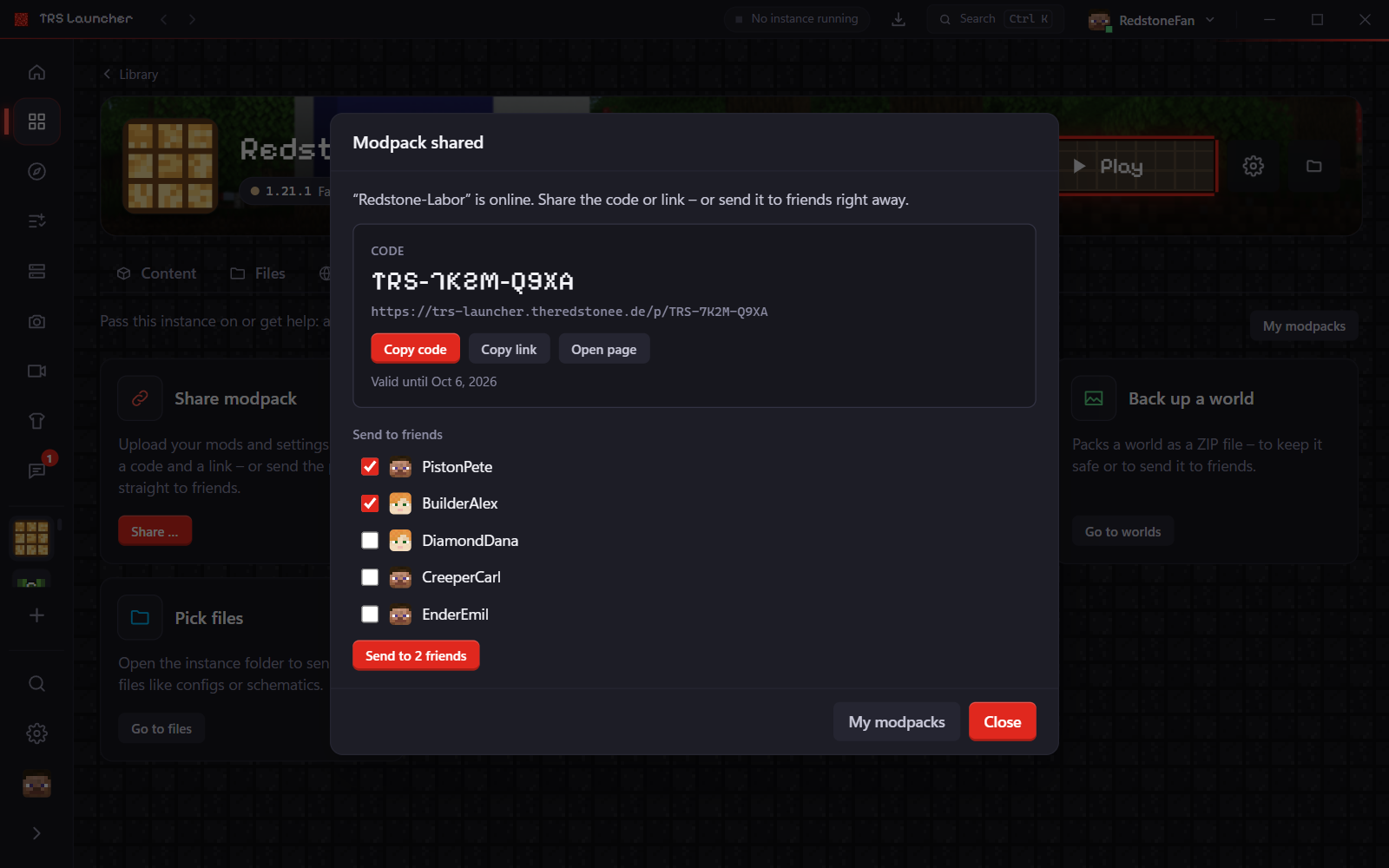
Install a shared pack
There are three ways:
- By code: Library → Modpack by code, enter the code (or paste the link) and click Check. You see who shared it, how many files are download links and whether it contains other mod files. Then install it.
- From friends: packs your friends sent you show up in the library under Sent to you – click View.
- From the web page: the link leads to a page on
trs-launcher.theredstonee.de/p/<code>with the mod list. Open in TRS Launcher starts the launcher (or brings it to the front) and shows the pack – nothing is installed until you click Install.
When you install, you choose with or without TRS Client as for any modpack.
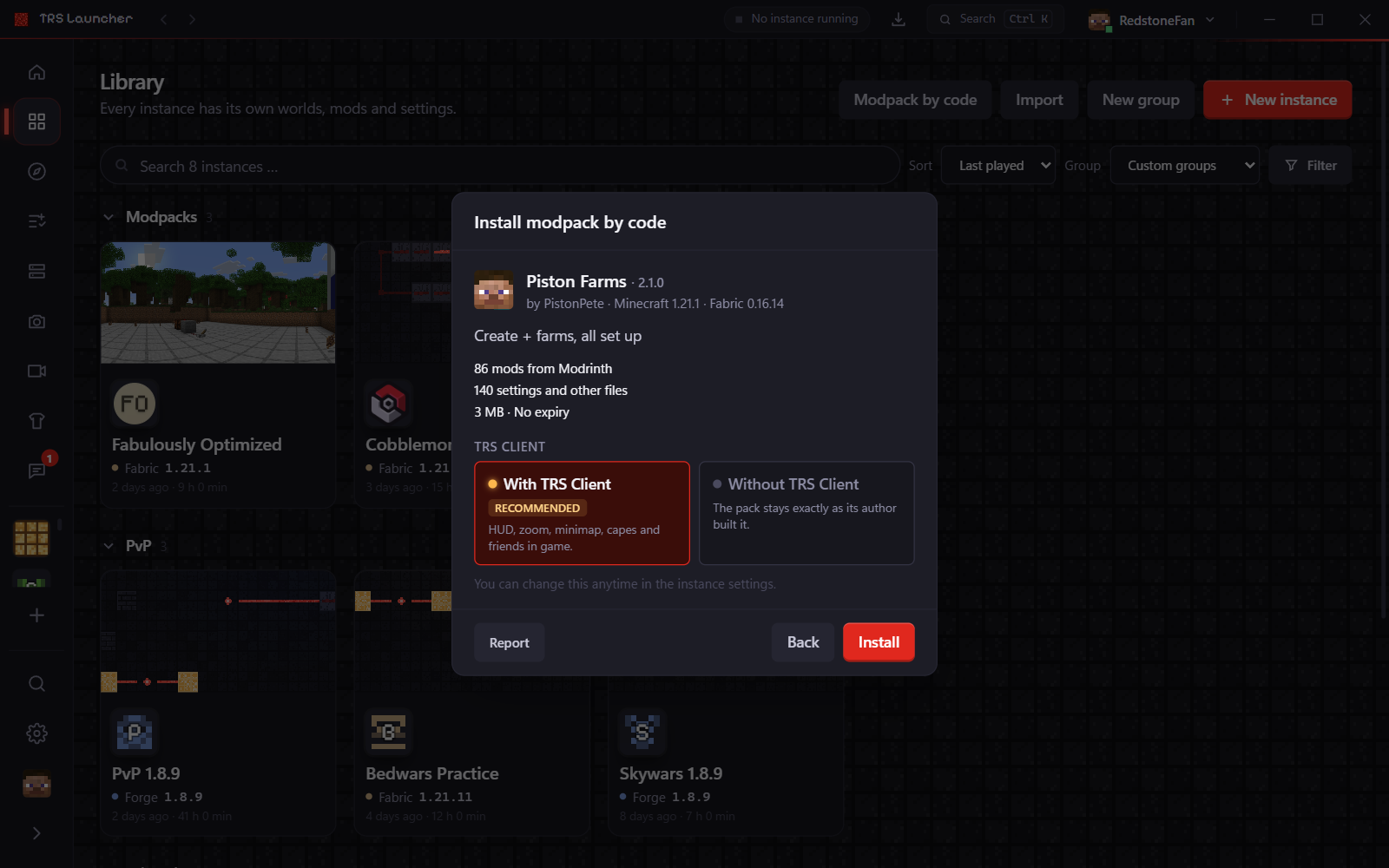
Update a shared pack
Changed your setup? Open the instance again → Share → New version …. Choose New version of TRS-… to keep the code – everyone who installed the pack sees Update on its card. Files they changed themselves stay as they are.
Choose Share as a new pack (new code) if you want a separate pack instead.
My modpacks
My modpacks (in the Share tab) lists everything you shared: code, how long it's valid, installs and how often it was sent. You can change the duration, send a pack again or Delete it – the code and link stop working right away, but instances others already installed stay on their PCs.
Modpacks
Install Minecraft modpacks from Modrinth and CurseForge or from a file in TRS Launcher, follow the progress and choose with or without TRS Client.
Import from other launchers
Move your Minecraft instances to TRS Launcher – worlds, mods, resource packs, settings and servers from the official launcher, Prism, CurseForge and more.