
Circuit library
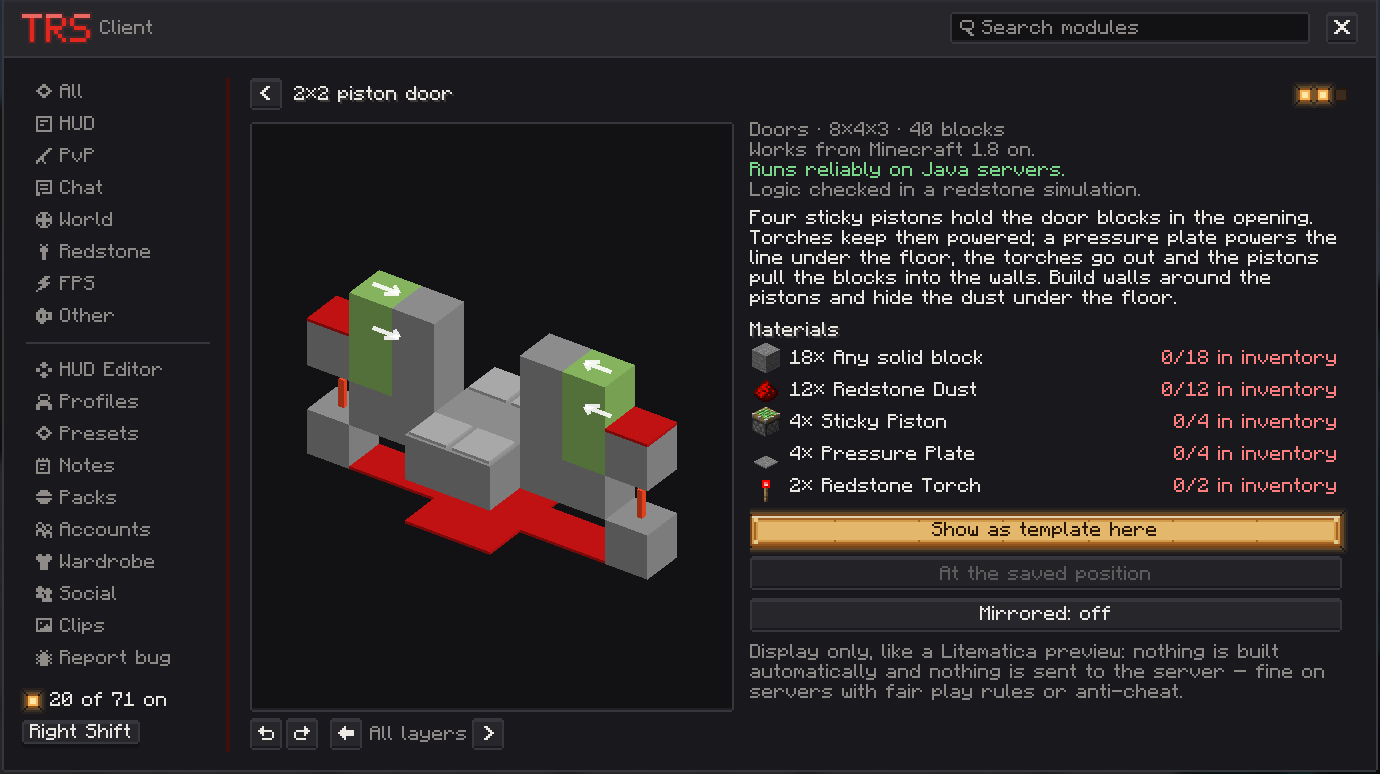
The Circuit Library is a page in the category Redstone with ready-made circuits: logic gates, repeater chain, torch tower, clocks, memory (RS latch, T flip-flops, D latch), pulse circuits, a 2×2 piston door and a hidden staircase, farm basics (sugar cane, item filter, automatic furnace, item elevator) and displays.
Find a circuit
Open the TRS menu → Redstone → Circuit Library → Open library. You can also bind the key Open the library on the module page (unbound by default).
- Search and categories help you find the right circuit, My version hides the ones your Minecraft version can't build.
- Each circuit has an explanation, difficulty, size, the Minecraft version it needs and whether it runs reliably on servers.
- The Materials list shows how many of each block you already have in your inventory.
- The 3D preview can be turned and viewed layer by layer.
Show a circuit as a template
Place the template
Click Show as template here. The template follows your view – press R to rotate it and Enter to confirm the position.
Build it block by block
Ghost blocks show what goes where:
- green – the block is right,
- red – the block is wrong (with the reason),
- grey – the block is still missing.
A progress bar shows "32/40 blocks".
Work layer by layer
↑ and ↓ switch to the next or previous layer, H hides or shows the template.
Remove it
When you are done, click Remove template in the library or on the module page.
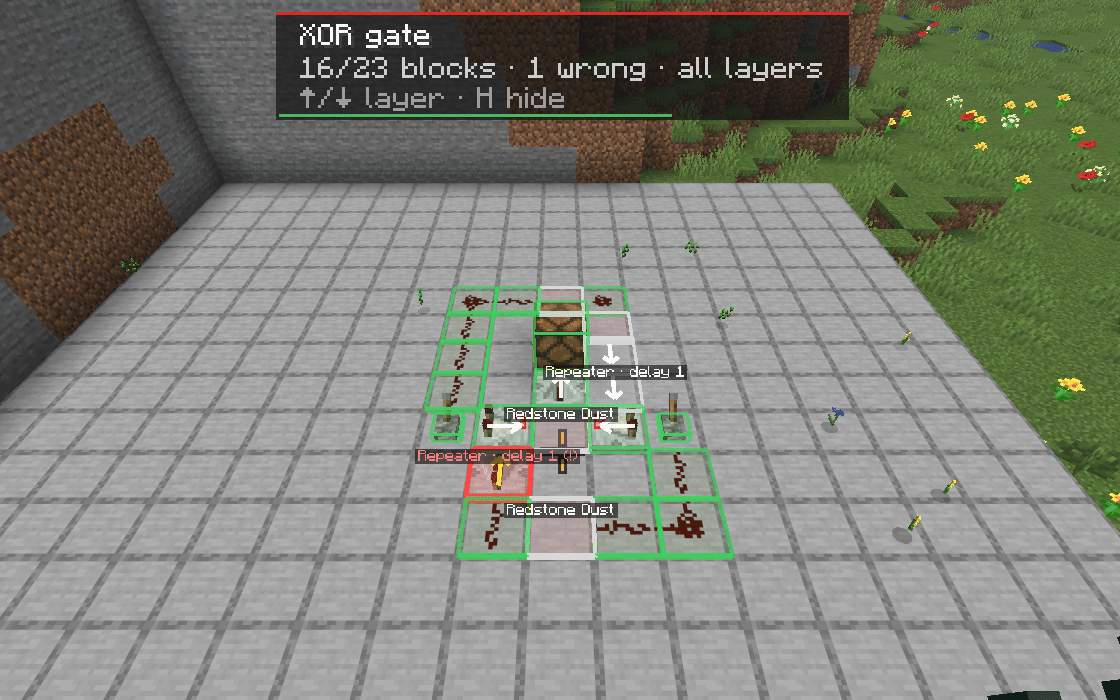
The template stays in the world or on the server when you reconnect. The button Mirrored next to Show as template here flips the circuit before you place it.
Settings
Block names next to missing and wrong blocks, ghost block opacity, Only outline correct blocks and the keys for rotating, confirming, layers and hiding.
Submit your own circuit
You need to be signed in with the TRS online features.
Mark the area
Click Submit your own circuit → Mark area. Look at one corner and confirm, then at the opposite corner. The area can be up to 16×16×16 blocks. Only the blocks are read – no chest contents.
Describe it
Give it a Name, a Category and a Short description.
Submit
Click Submit. The TRS team checks every submission before it appears in everyone's library. Only submit your own designs.
My submissions shows whether each circuit is waiting for review, approved or rejected (with the reason).
Redstone tools
See the signal strength of redstone parts, show numbers over every piece of dust with the signal overlay and measure clocks with the TRS Client.
Emotes, capes, wardrobe and accounts
Emote wheel, TRS capes with cape physics, the in-game wardrobe with skin editor and switching Minecraft accounts without a restart in the TRS Client.