
Installation
TRS Launcher is free and runs on Windows 10 and 11 (64-bit) and on 64-bit Linux. You don't need to install Java – the launcher downloads the right Java version for every Minecraft version by itself. All you need is a Minecraft: Java Edition account.
- Download
TRS-Launcher_<version>_x64-setup.exefrom the download page or the GitHub releases. - Run the file. At the start you can pick the installer language.
- The launcher installs for your Windows user only and needs no administrator rights. If WebView2 is missing on your PC, the installer fetches it.
- Start TRS Launcher from the Start menu.
Your data (instances, Java, settings) lives in %APPDATA%\TRS-Launcher.
Every release has an AppImage, a .deb and an .rpm for x86_64. They work on any distribution with glibc 2.35 or newer (Ubuntu 22.04+, Debian 12+, Fedora 36+, Arch, openSUSE Tumbleweed …), on Wayland and X11.
| Distribution | Install |
|---|---|
| Arch Linux, Manjaro, EndeavourOS | yay -S trs-launcher-bin or paru -S trs-launcher-bin (AUR) |
| Debian, Ubuntu, Linux Mint, Pop!_OS | sudo apt install ./TRS-Launcher_<version>_amd64.deb |
| Fedora | sudo dnf install ./TRS-Launcher-<version>-1.x86_64.rpm |
| openSUSE | sudo zypper install ./TRS-Launcher-<version>-1.x86_64.rpm |
| Any distribution | chmod +x TRS-Launcher_<version>_amd64.AppImage and run it |
Your data lives in ~/.local/share/TRS-Launcher. The launcher's own log is in ~/.local/share/dev.theredstonee.trslauncher/logs.
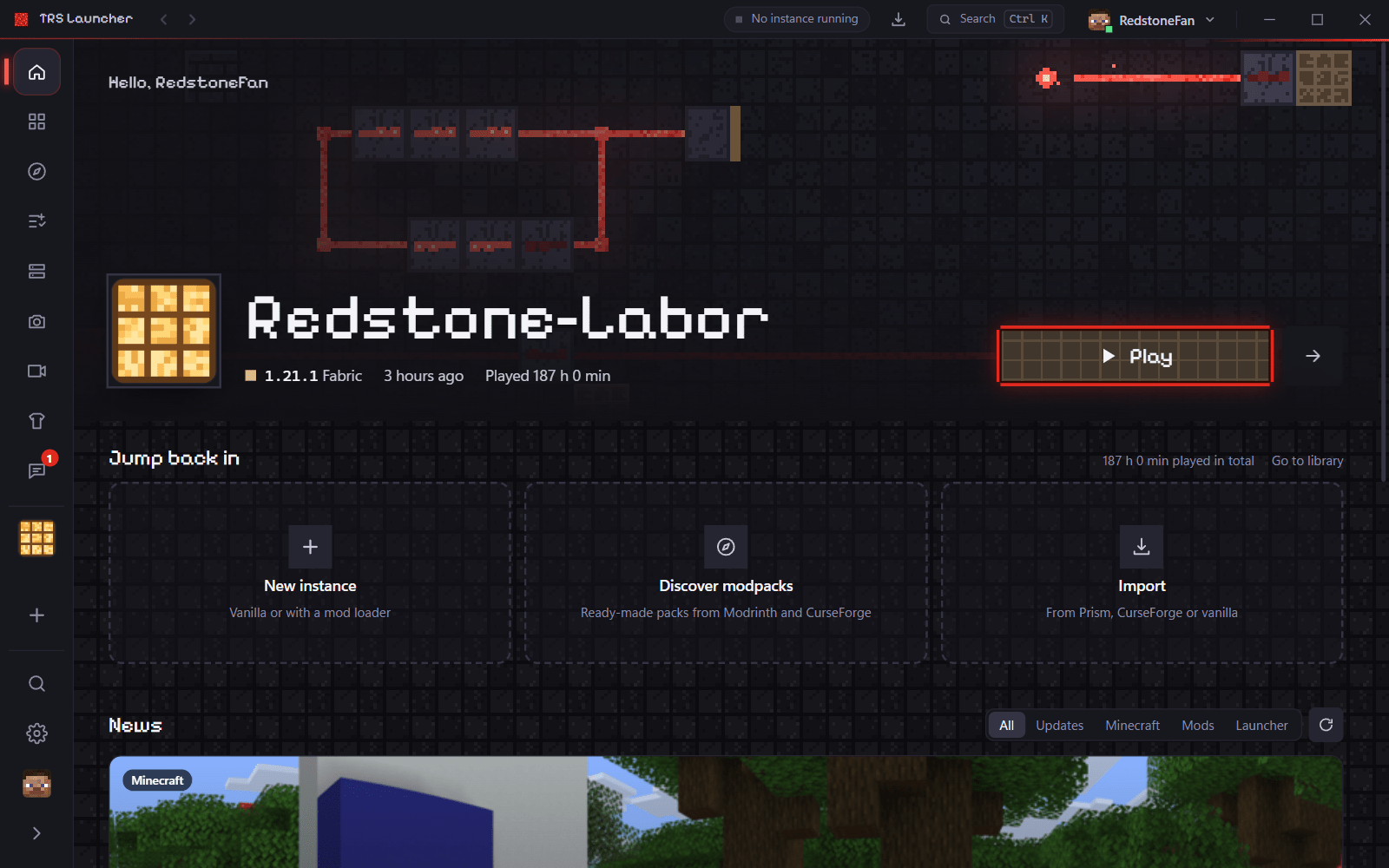
The first start
On the first start a short setup guides you through everything:
Language
Pick one of 8 languages. The launcher suggests the language of your system. You can change it later under Settings → Language.
Sign in
Sign in with the Microsoft account you bought Minecraft with – see Sign in. You can also choose Later.
Import
If you already play with another launcher, the launcher lists what it found and brings worlds, mods, settings and servers over. Nothing is changed in the other launcher. More in Import.
First instance
Pick Vanilla, Fabric + Performance or Custom version and create your first instance – see Your first instance.
Updates
On Windows and with the AppImage the launcher updates itself – see Updates. The .deb, .rpm and AUR packages are updated by your package manager; the launcher tells you when a new version is out.
Linux: good to know
- Sign-in keys are stored in your system keyring (GNOME Keyring, KWallet, KeePassXC with Secret Service …). Without a keyring they are kept in a file only your user can read, and Settings → Storage shows "File permissions only". Install and unlock a keyring and restart the launcher – the key moves over by itself.
- Minecraft 1.12.2 and older need the
xrandrtool:xorg-xrandr(Arch),x11-xserver-utils(Debian/Ubuntu) orxrandr(Fedora). - Blank or white window: start the launcher with
WEBKIT_DISABLE_DMABUF_RENDERER=1 trs-launcher. With the proprietary NVIDIA driver the launcher does this itself. On very old graphics cards also tryWEBKIT_DISABLE_COMPOSITING_MODE=1. - The AppImage doesn't start ("FUSE"): install
libfuse2(Debian/Ubuntu) orfuse2(Arch), or run it with--appimage-extract-and-run. - Laptop with two graphics chips: Settings → Default settings → High-performance graphics card lets the game render on the dedicated GPU (PRIME offload). Your own values under Environment variables win.
- Launch wrapper such as
gamemoderunorprime-run: Settings → Default settings → Launch hooks → Wrapper. - Not available on Linux yet: clip recording and the Windows firewall helper. There are no ARM64 builds – Mojang has no Java runtime for ARM Linux.
dev.theredstonee.trslauncher), but it isn't published on Flathub yet. Use one of the packages above for now.