
Host a world for friends
With the TRS Client you can open your singleplayer world for your TRS friends – no port forwarding, no server. Friends connect directly when possible and through the TRS relay otherwise.
Host your world
Open the pause menu
Start your singleplayer world and press Esc. Click Host world at the bottom left.
Choose the settings
World name, Game mode (Survival, Creative, Adventure), Cheats (for everyone), PvP, Max players (up to 10) and Who can see it – Friends or Invited players only. Back up the world first is recommended.
Click Host
The world is backed up and opened. You get a join code like K7Q-M2X to copy and share.
Manage your world
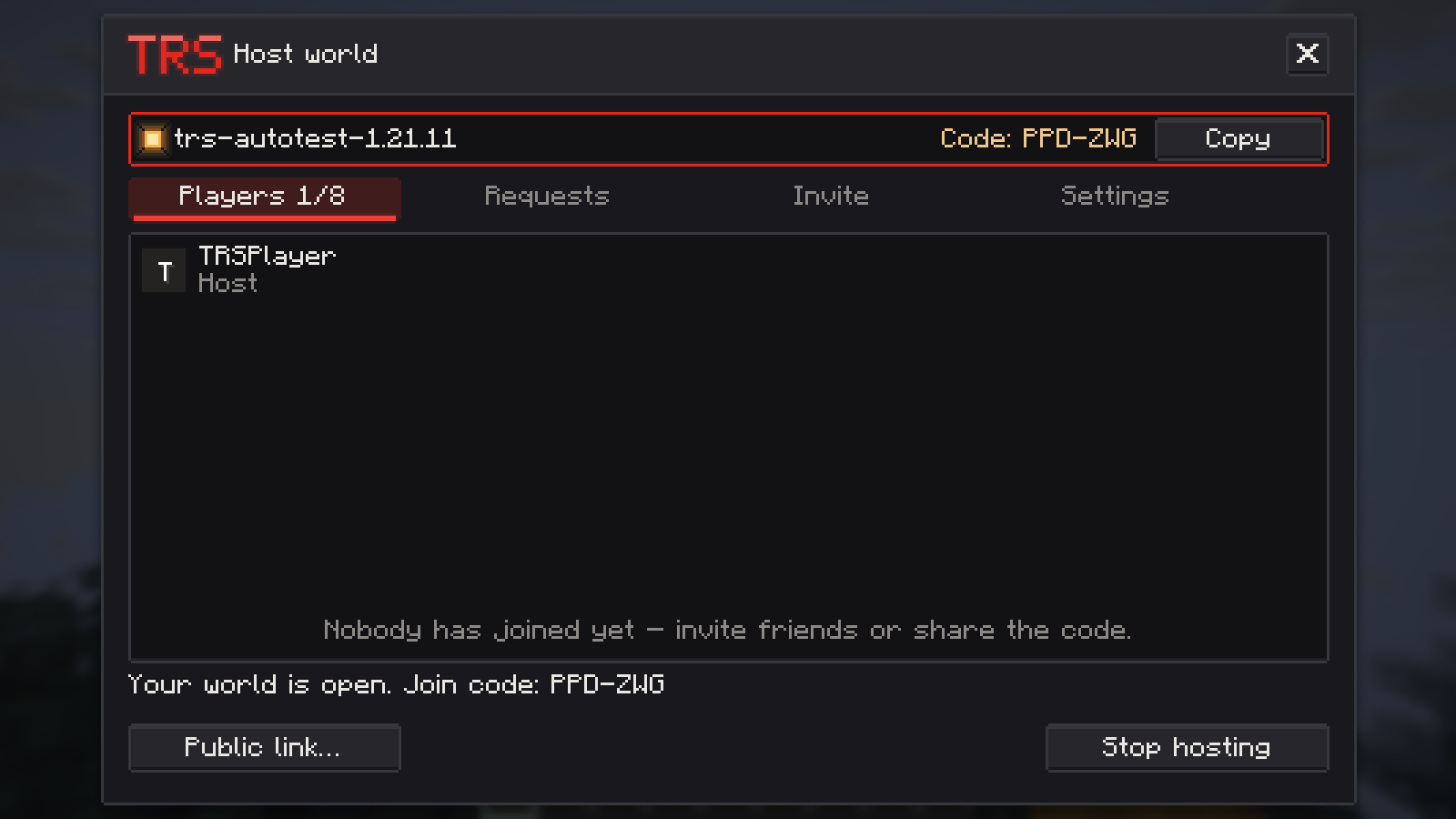
Open Manage hosting in the pause menu. The window has four tabs:
- Players – every player with their connection (Direct or Via relay) and ping. Give them OP, make them Spectator or take away Build; remove or ban them – optionally for all your worlds.
- Requests – accept or decline players who asked to join (also right from a notification).
- Invite – invite friends; online friends are listed first.
- Settings – change the settings while the world is open.
Stop hosting closes the world for everyone.
Join a friend's world
- Invite: an invite pops up as a notification – press Y or click Join.
- Social → Worlds: lists your friends' open worlds with Join or Request.
- World cards in chat have a Join button.
- Join with code: the multiplayer screen has a Join with code button.
If the host plays another Minecraft version, you see that clearly before you try. From the TRS Launcher you can also join through Social → Worlds in the launcher – it picks or creates a matching instance and connects by itself.
Share mods and a resource pack
When hosting, you can share your mods and a resource pack with your guests. Both are off by default and remembered per world.
- Share mods – pick which mods go along and whether each is required or optional. Mods that add blocks or items are preselected as required, pure client mods are not selected. Mods are recognised on Modrinth and, with the TRS Launcher, on CurseForge.
- Send mods directly from the host – mods that are in no store are sent straight from you; your guests see a warning. Off: those mods only show up as "get it yourself".
- Share resource pack – the pack goes straight from you to your guests (never through TRS), up to 250 MB. They get Minecraft's usual question whether to use it. From Minecraft 1.20.3 on.
Guests who miss required mods can open the world in the TRS Launcher with Open in launcher – it sets up a matching instance for them.
Public link (optional)
For friends without the TRS Client you can turn on a Public link through the e4mc service. It is off by default and needs a confirmed warning every single time.
While the link is on, a small hint in the pause menu reminds you of it.