
Mod loaders
A mod loader is what lets Minecraft load mods. TRS Launcher installs every loader for you – no installer files to run and no folders to copy. You pick it when you create an instance.
Which loader?
| Loader | Good for |
|---|---|
| Vanilla | Minecraft exactly as Mojang ships it. With the TRS optimization it still gets more FPS (see below). |
| Fabric | Lightweight and quick to update – performance mods like Sodium, most client and utility mods. |
| Quilt | A fork of Fabric that also loads most Fabric mods. |
| Forge | The classic loader for big content mods and older modpacks, from very old versions on. |
| NeoForge | The successor of Forge for newer Minecraft versions. |
Not every loader exists for every Minecraft version. If a loader isn't available for the version you picked, the launcher tells you ("… isn't available for Minecraft … (yet)").
Vanilla and the TRS optimization
Vanilla instances start with the TRS optimization: under the hood they run with Fabric, the TRS Client and proven performance mods such as Sodium. For versions without Fabric the launcher uses Forge with the TRS Client instead. You still play vanilla Minecraft – just with a lot more FPS.
Want pure vanilla? Open the instance Settings → Installation and turn off TRS optimization. Then the instance doesn't load any mods.
The TRS Client
The TRS Client is the launcher's own in-game mod (HUD, zoom, minimap, capes, friends and more). It is added automatically to every instance where it exists:
- Fabric and Quilt from Minecraft 1.14.4
- Forge from Minecraft 1.7.10
- NeoForge from Minecraft 1.20.2
You can turn it off per instance under Settings → Installation → TRS Client.
Change the loader version
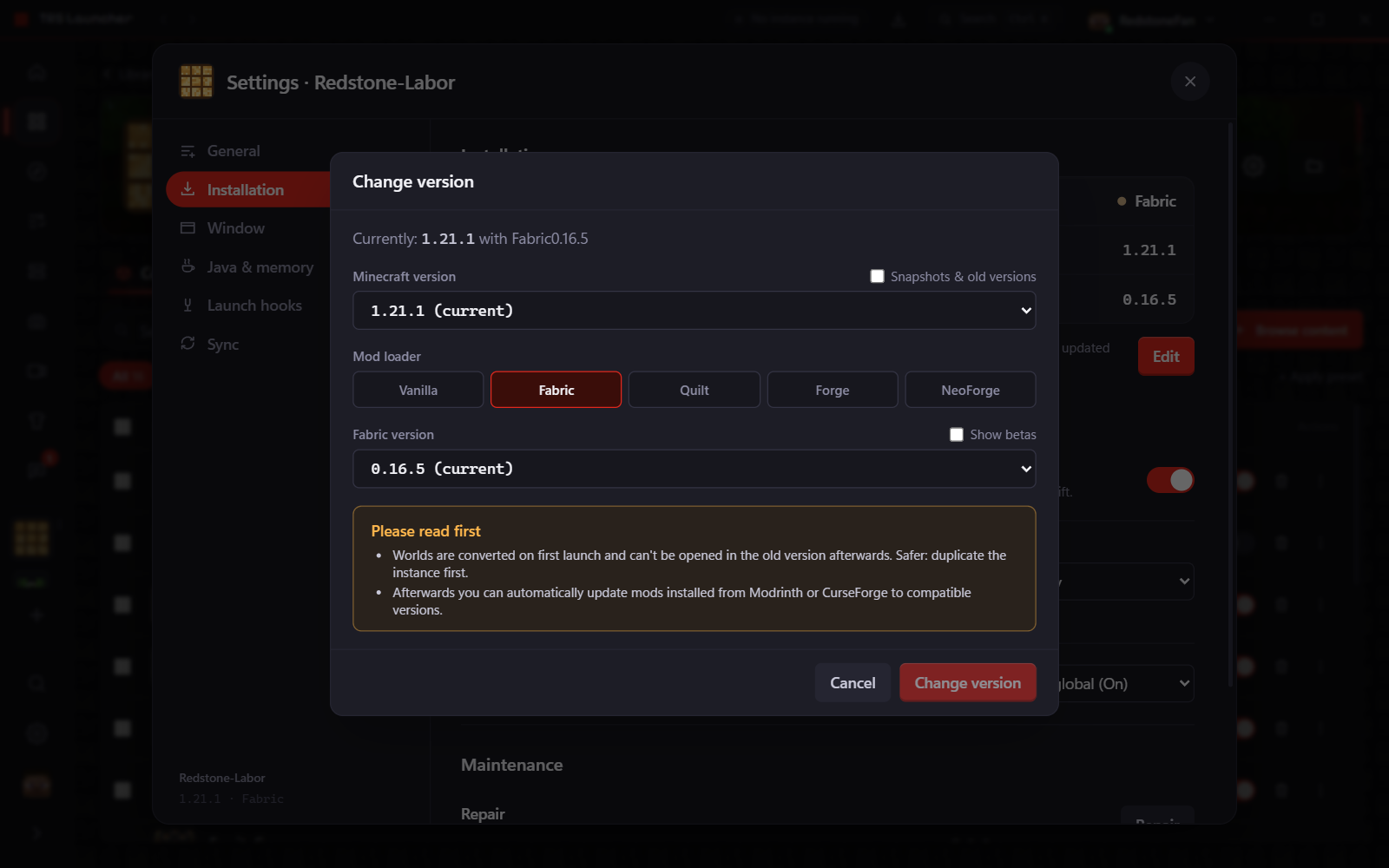
By default an instance uses the latest stable loader version. To pick a specific one:
Open the installation settings
Instance page → Settings → Installation. You see the platform, the Minecraft version and the loader version.
Click "Edit"
The Change version dialog opens. Pick the Minecraft version and, below, the loader version. Show betas lists beta versions too; leave the field empty for the latest stable (recommended).
Adjust your mods
If the change affects your mods, the launcher offers to update them to compatible versions or to disable incompatible ones.
Instances
Manage your Minecraft instances in TRS Launcher – library, groups, the instance page with content, files, worlds, logs, history and settings.
Mods
Find and install Minecraft mods, resource packs, shaders and data packs from Modrinth and CurseForge in TRS Launcher – with dependencies and updates.