
Crash helper
When a game you started from the TRS Launcher crashes, you don't have to dig through the log yourself. The crash helper reads the game log and the newest crash report, finds the most likely cause and tells you what to do – often with a button that fixes it for you.
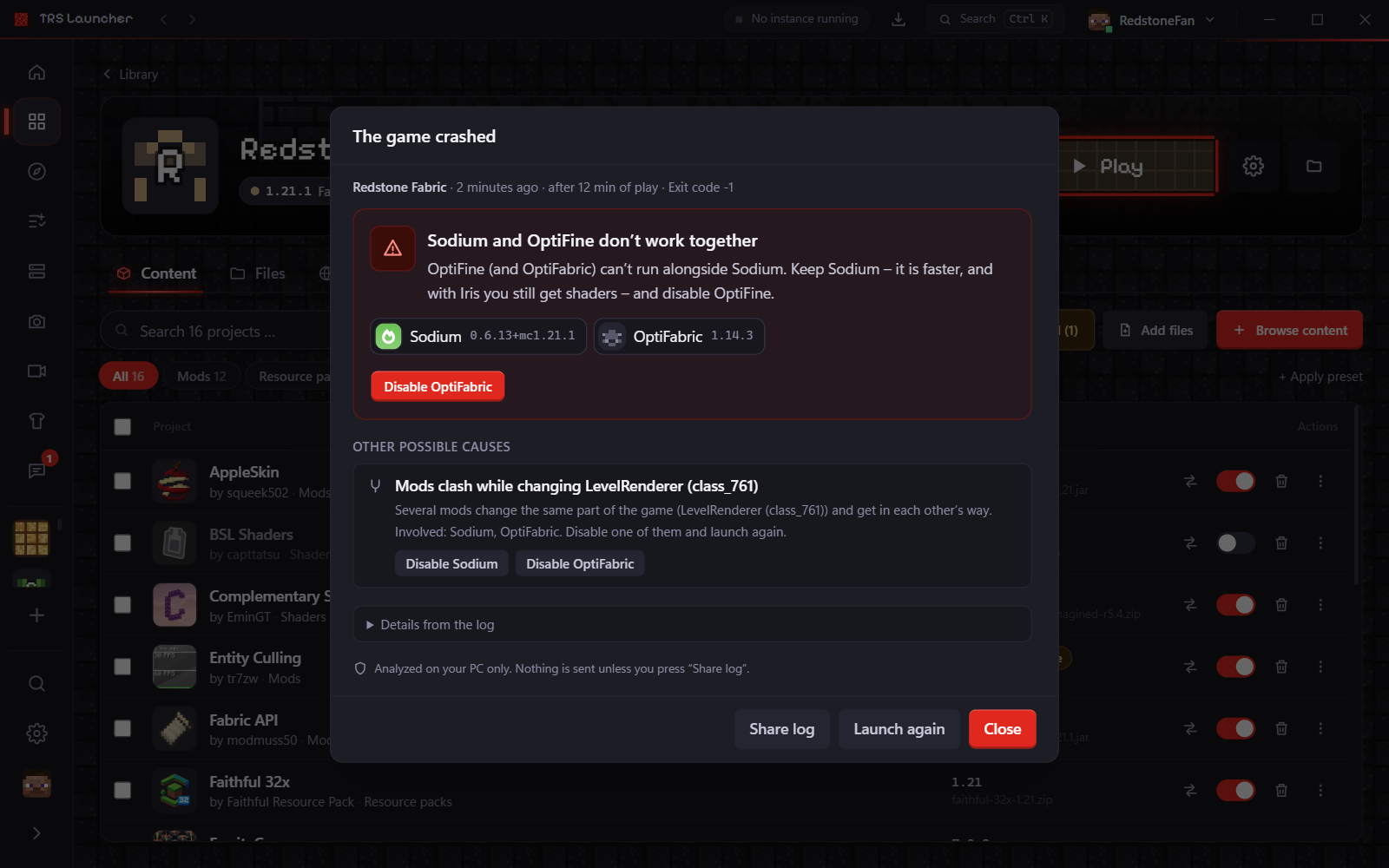
What you see
The crash helper opens by itself as soon as the game has closed with an error. It shows:
- The cause as a short title and an explanation in plain words, plus whether the crash happened while starting or after some time of play.
- Involved mods with their icon and version. A mod that sits inside another mod is marked as "inside …", a mod that is already switched off as "disabled".
- Buttons for the fixes the launcher can do itself (see below).
- Other possible causes when more than one thing looks wrong.
- Details from the log: the cause, the first line that comes from a mod and the key lines. Paths with your user name and your player name are hidden.
You can open it again later:
- On the instance page, the panel of the last crash has an Open crash helper button.
- In the Logs tab, open an older log or a crash report and press Analyze.
- In the History tab, every crash has a Show details button.
What it recognizes
| Cause | Example | What the launcher offers |
|---|---|---|
| Known problem | Sodium together with OptiFine or OptiFabric, Iris without Sodium, two minimap mods at once, TRS Client 0.9.0 with Essential | Disable the mod that doesn't fit, install Sodium, update the TRS Client |
| Duplicate mod | The same mod twice in the mods folder | Remove duplicates – keeps the newest copy, disables the rest |
| Wrong Minecraft version | A mod made for another Minecraft version | Disable the mod, or install a matching version in the Content tab |
| Wrong loader version | A mod needs a newer Fabric Loader, Forge or NeoForge | Change the loader version of the instance, or disable the mod |
| Incompatible mod version | Mod A doesn't work with this version of mod B | Switch the mod to a version that fits (Fabric), or disable it |
| Missing dependency | A mod needs another mod that isn't installed | Install the missing mod from Modrinth |
| Wrong Java version | Java too old for a mod, or too new for old Minecraft/Forge | Use Java … or Choose Java automatically |
| Out of memory | The game needed more RAM than it may use, or Java couldn't reserve the RAM | Increase RAM to … or Set RAM to … |
| Damaged files | A broken mod file, broken game files or missing game resources | Check files (repair), or disable the broken mod file |
| Graphics driver | Crash inside the AMD, Intel or NVIDIA driver, no OpenGL, OpenGL too old | Tips for updating the driver; disable shader mods for a test |
| Mods clash | Several mods change the same part of the game (Mixin) | Disable one of the mods involved |
| Unknown error | No rule fits | The mod the crash probably starts in, the key lines and Share log |
Fixing a crash
Read the cause
The first entry is the most likely cause. If it doesn't sound right, look at Other possible causes.
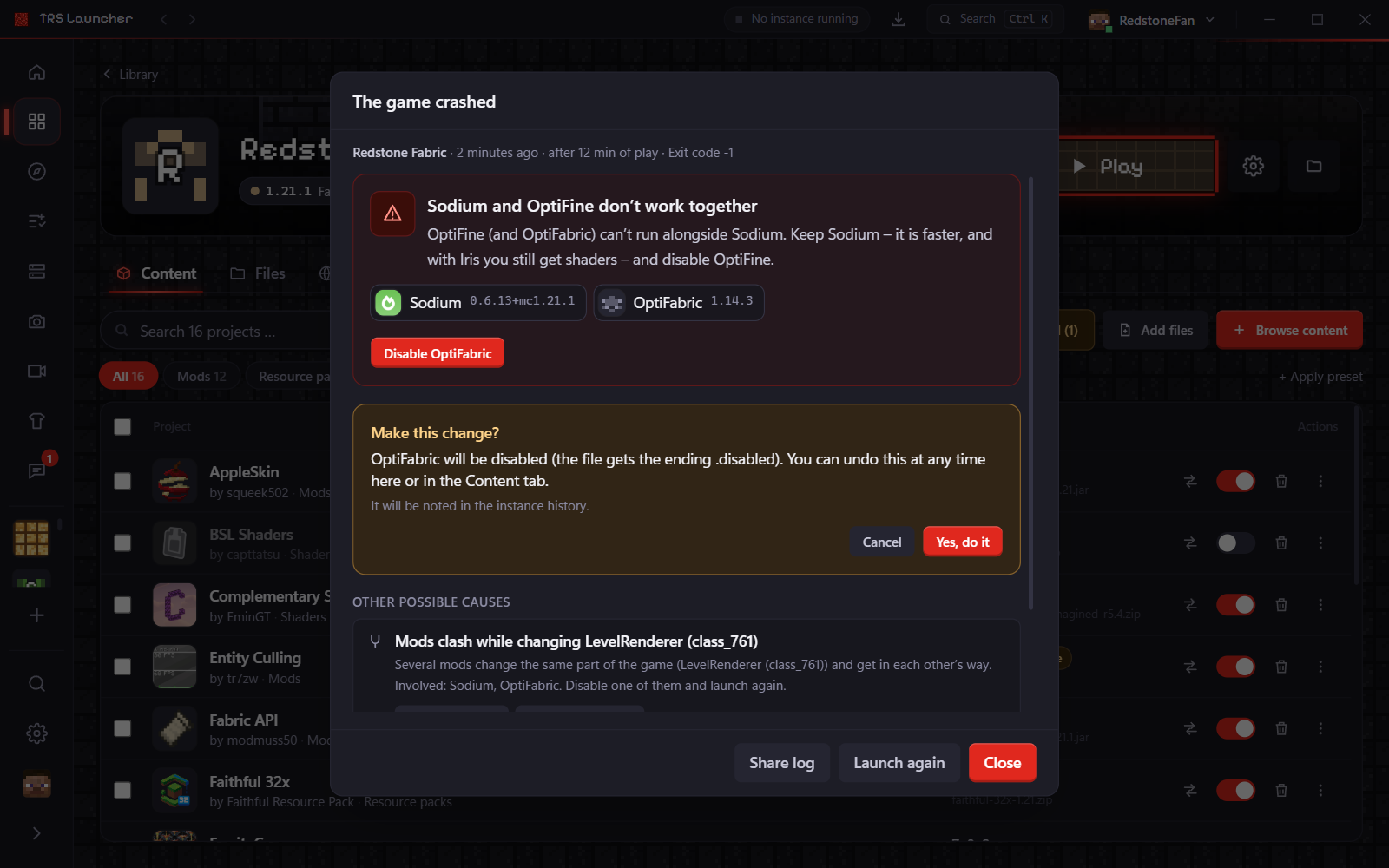
Press the fix button
Every change is confirmed first: the crash helper tells you exactly what will happen, for example "OptiFabric will be disabled (the file gets the ending .disabled)". Press Yes, do it.
Launch again
Press Launch again. If the game runs, you're done.
.disabled. You can turn it back on with Undo right away, or later in
the Content tab.What each fix does:
- Disable – renames the mod file to
.disabled. Nothing is deleted. - Install – installs the missing mod from Modrinth into this instance.
- Remove duplicates – disables the older copies, the newest stays active.
- Increase RAM / Set RAM – changes the memory of this instance only.
- Use Java … – downloads that Java version if needed and sets it for this instance.
- Choose Java automatically – removes the custom Java path of this instance, so the launcher picks the right version again.
- Update TRS Client – fetches the newest TRS Client from its update channel.
- Check files – checks all game files and downloads broken ones again.
History
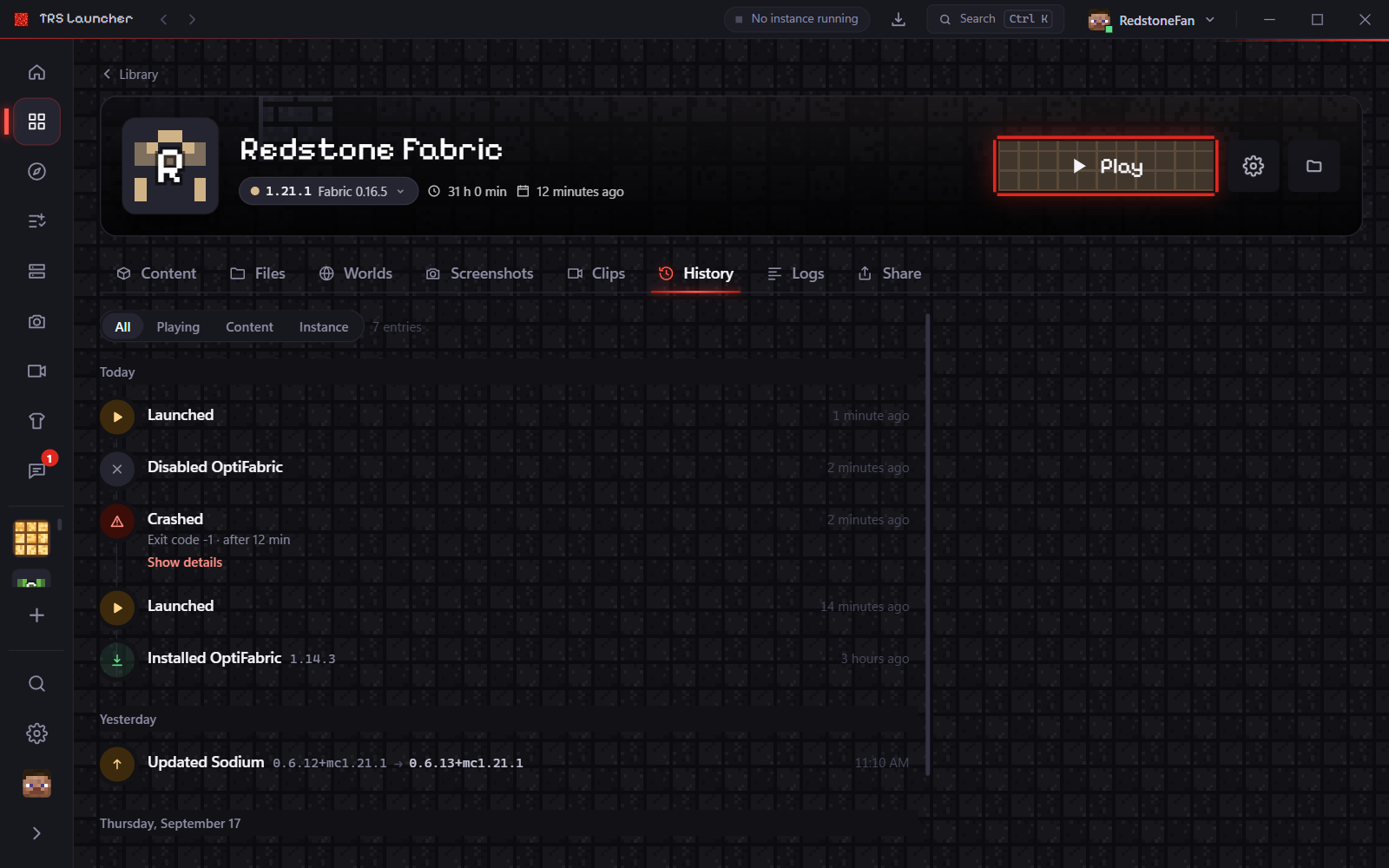
Every crash is saved with its analysis in the instance (up to the last 30). In the History tab you see a Crashed entry for each one, with Show details. Changes the crash helper makes – memory, Java, disabled mods – are listed there too, so you can always see what changed.
When nothing helps
- Share the log: Share log uploads it to mclo.gs and gives you a link. Login tokens and your user name are removed first.
- Ask on Discord or report a bug and add the link.
- More about logs and where they are stored: Logs.