
Mods
TRS Launcher has Modrinth and CurseForge built in. You can search mods, resource packs, shaders and data packs, install them with their dependencies and keep them up to date.
Find content
Open Discover
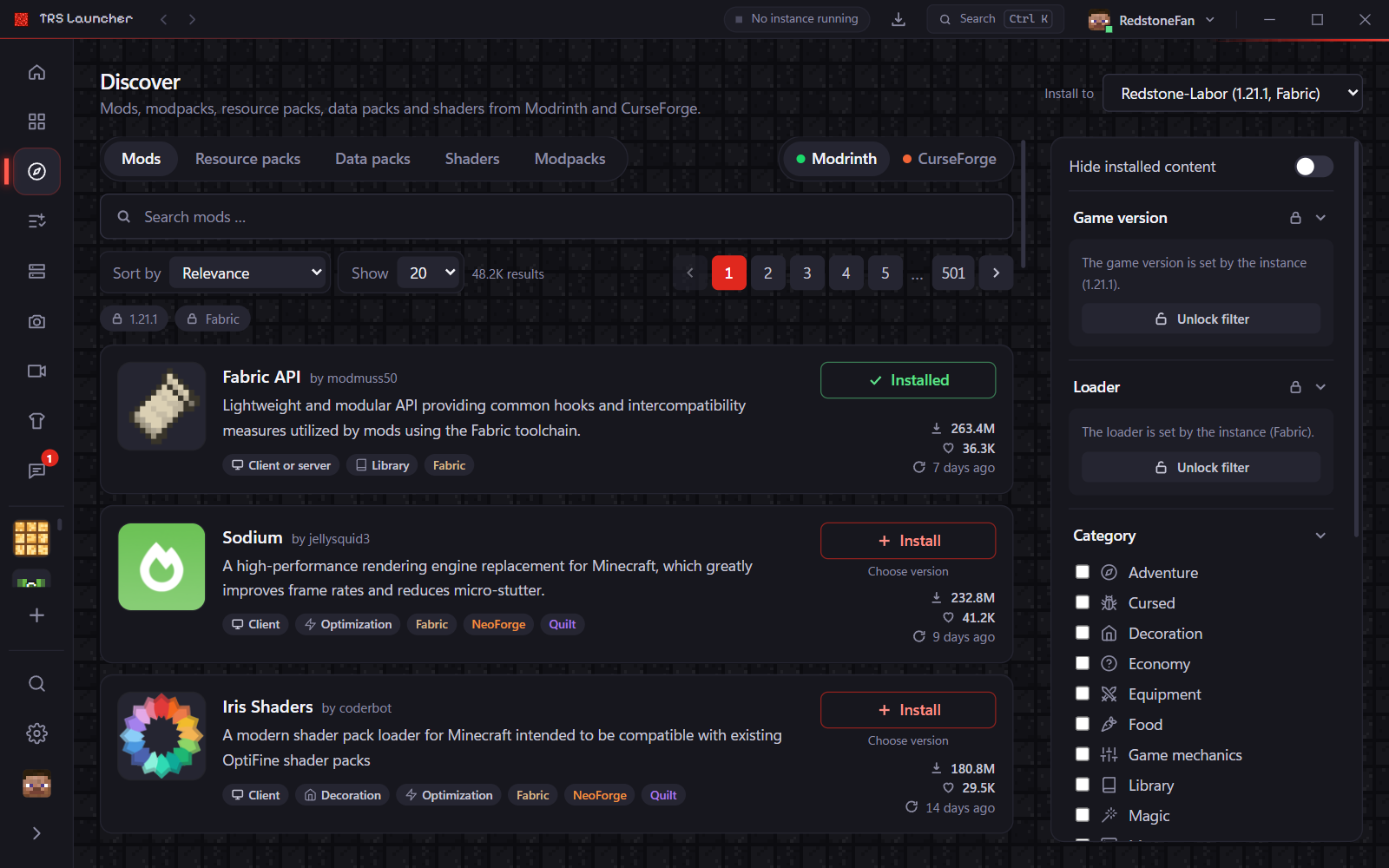
Click Discover in the sidebar – or open an instance and click Browse content in its Content tab. Coming from an instance, Minecraft version and loader are set by the instance and only fitting content is shown.
Pick source and type
Switch between Modrinth and CurseForge, then choose Mods, Modpacks, Resource packs, Data packs or Shaders.
Search and filter
Type a search term and narrow it down with categories, Environment, Open source only or Hide installed content. Sort by relevance, downloads, followers, newest or recently updated.
Install
- Pick the instance under Install to and click Install on a result – or open the project page first.
- Required dependencies come along automatically. Their versions are chosen so that they work together.
- Choose version installs a specific version instead of the newest compatible one.
Every project has its own page with description, Gallery, Versions (with changelogs) and Dependencies.
datapacks folder. Pick them under "Data Packs" when you create a world; for existing worlds copy them into the world's datapacks folder.Manage content
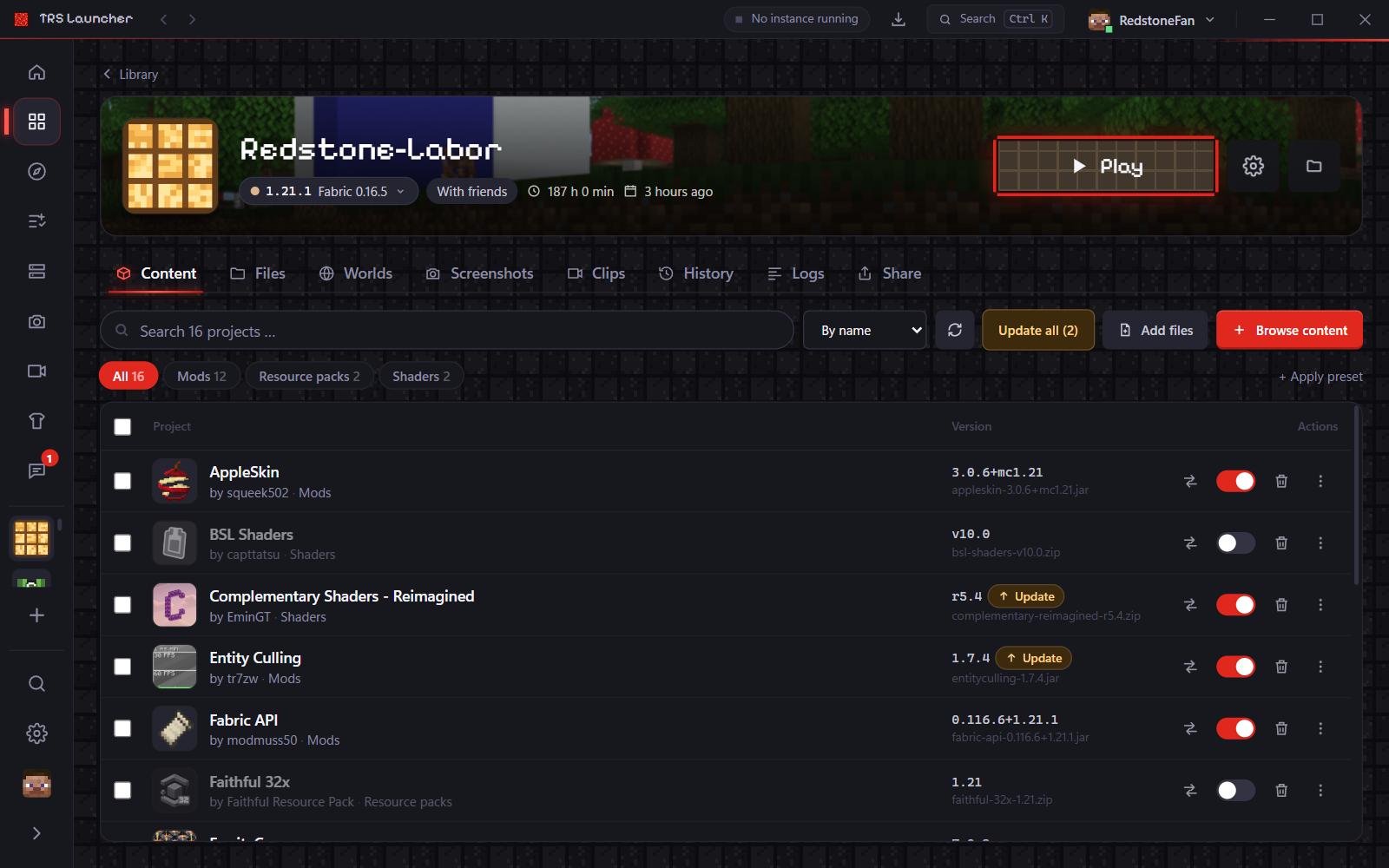
The Content tab of an instance lists mods, resource packs, shaders and data packs in one table.
- Turn an entry off without deleting it (and on again), or delete it.
- Select several entries to enable, disable, update or delete them at once.
- Add files – or simply drag
.jarfiles (mods) and.zipfiles (resource packs, shaders, data packs) into the window. - Change version picks another version of a mod; the … menu of a row offers View changelog and Project page.
Updates
Click the refresh button in the Content tab to check for updates. Rows with a new version get an Update badge; Update all installs them all at once.
- Updates work for everything installed from Modrinth or CurseForge – also for content you imported from other launchers.
- Updates that would break another mod are held back. If an instance already has a pair of mods that don't work together, the row shows a Fix button that switches to a fitting version.
- Settings → General → Update channel for content decides which versions count: Stable (default), Beta or Alpha.
Presets
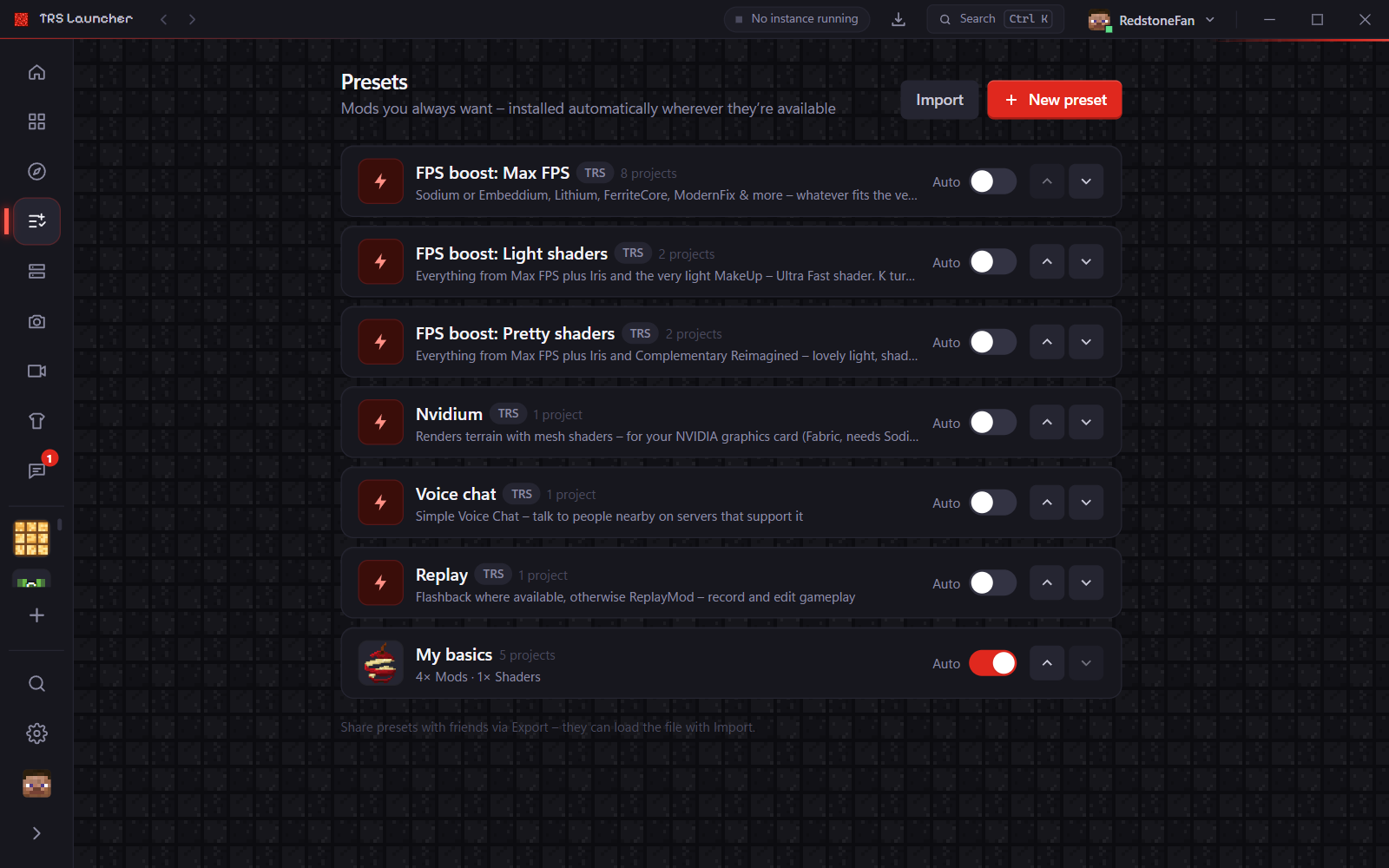
Presets are lists of mods, resource packs and shaders you always want. Tick them when you create an instance, or install them later with + Apply preset in the Content tab. Each project is only installed if there's a version for the instance's Minecraft version and loader – the rest is skipped and named in a short summary.
Ready-made TRS presets:
| Preset | Contents |
|---|---|
| FPS boost: Max FPS | Sodium or Embeddium, Lithium, FerriteCore, ModernFix and more – whatever fits the version and loader |
| FPS boost: Light shaders | Max FPS plus Iris and the very light MakeUp – Ultra Fast shader |
| FPS boost: Pretty shaders | Max FPS plus Iris and Complementary Reimagined |
| Voice chat | Simple Voice Chat |
| Replay | Flashback where available, otherwise ReplayMod |
| Nvidium | Faster terrain for NVIDIA graphics cards (Fabric, needs Sodium; can't be combined with shaders) |
With a shader level the shader is switched on right away – press K in game to turn shaders on or off. Instances with a mod loader but without Sodium, Embeddium or OptiFine show a small hint to apply the FPS boost.
Presets in the sidebar lets you create your own presets (for example "My basics"), mark one as Always automatic so it's preselected for new instances, and share presets with friends as a small file via Export and Import.
Mod loaders
Vanilla, Fabric, Quilt, Forge or NeoForge? Learn which Minecraft mod loader to pick in TRS Launcher and how to change the loader version.
Modpacks
Install Minecraft modpacks from Modrinth and CurseForge or from a file in TRS Launcher, follow the progress and choose with or without TRS Client.