
Achievements
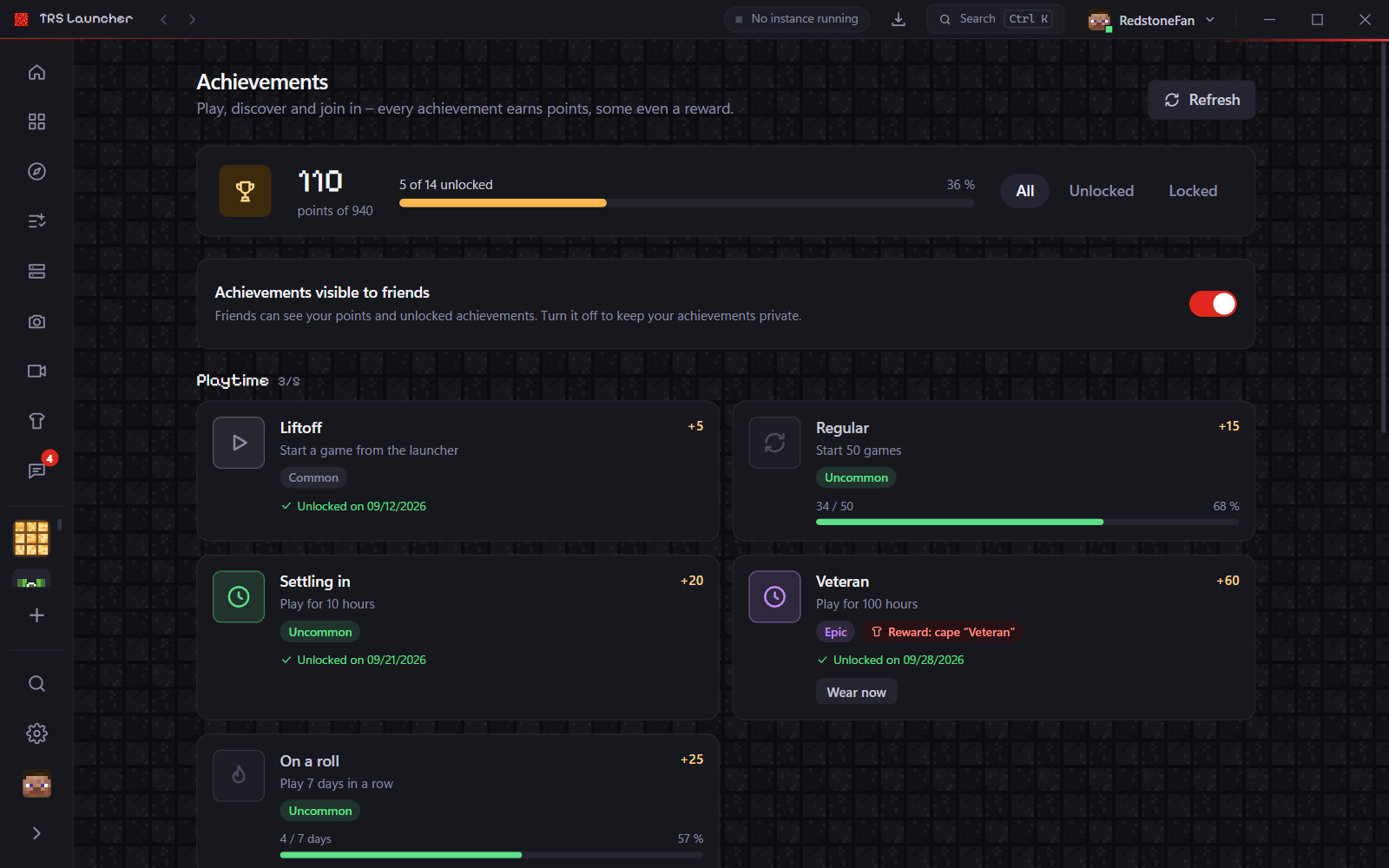
TRS Launcher has its own achievements: for playtime, for trying out launcher features and for the community – plus a few secret ones you only see once you've unlocked them. Every achievement earns points and has a rarity, from Common to Legendary. Some come with a reward.
Open your achievements
- the account menu at the top right of the title bar → Achievements
- the trophy in Social
- Ctrl K → "Achievements"
The page shows your points and how many achievements you've unlocked, grouped by category, with progress bars (playtime in hours) and unlock dates. Show filters All, Unlocked or Locked.
Rewards
Some achievements unlock something for the TRS Client, for example:
- 100 hours played – the Veteran cape
- an idea of yours gets implemented – the Ideengeber cape
- 10 friends – the Party emote
When you unlock an achievement, a notification pops up. If it gives you a cape or a head cosmetic, Wear now puts it on right away. For an emote, Where is it? tells you where to find it in the TRS Client.
Your friends' achievements
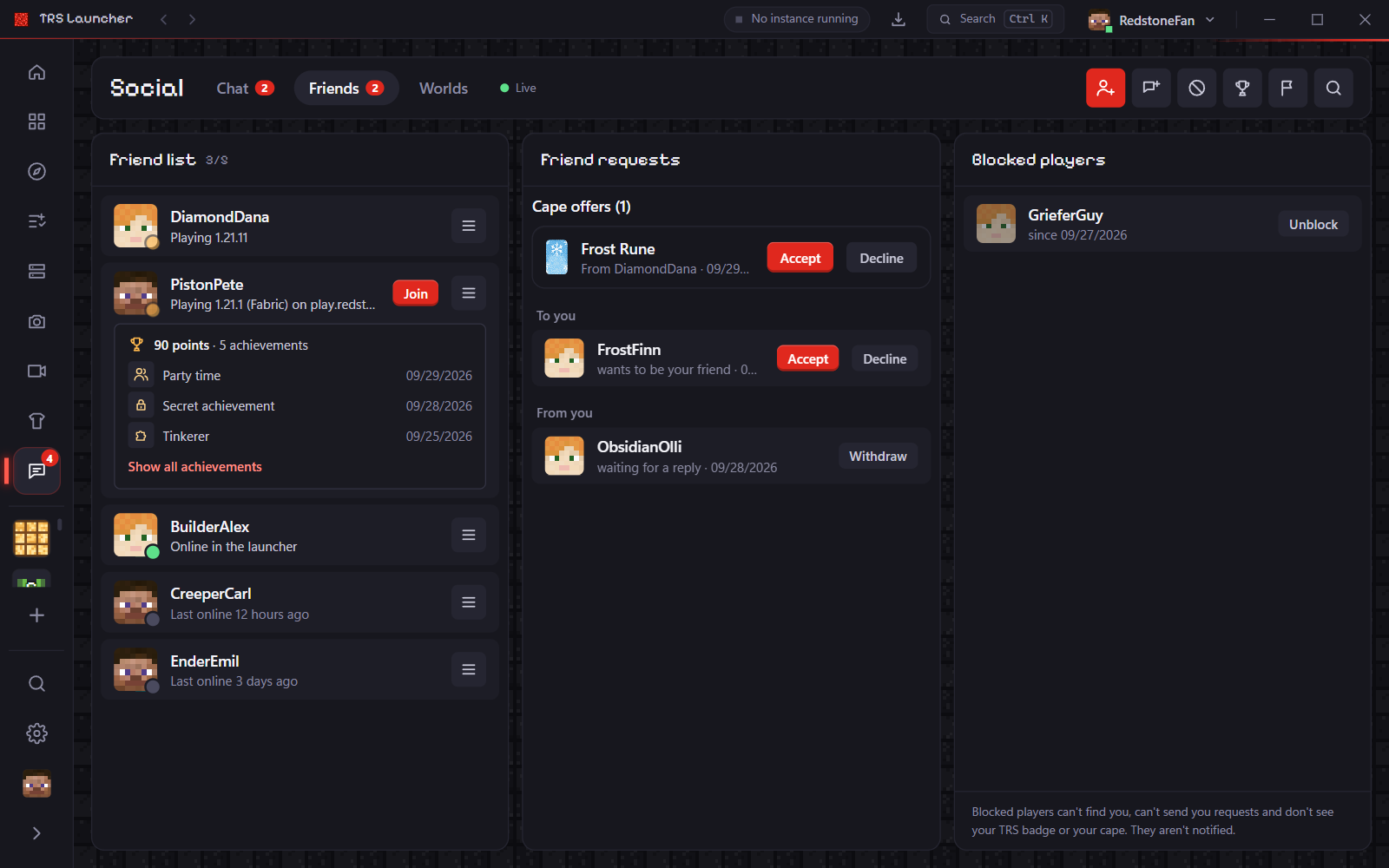
Click a friend in Social to see their points and latest achievements, or open all of them. Secret achievements stay "???" until you have them too.
Want to keep yours private? Turn off Achievements visible to friends on the achievements page or under Settings → Privacy.
Friends & chat
Add friends in TRS Launcher, chat in direct messages and groups, send pictures and server invites, join friends' worlds and report abuse.
Skins & capes
Manage Minecraft skins in TRS Launcher with a 3D preview, wear Mojang and TRS capes, upload your own cape, redeem codes and share capes with friends.