
Android: install the APK
TRS Launcher runs on Android phones and tablets: Minecraft: Java Edition with touch controls, your instances and modpacks and the built-in TRS Client – plus friends, chat, your wardrobe and remote control for the launcher on your PC. The app is not in the Play Store; you install it as an APK from our website, and afterwards it updates itself.
| You need | |
|---|---|
| Android | 8.0 or newer |
| Processor | 64-bit (arm64) – almost every phone from the last years |
| Account | A Microsoft account that owns Minecraft: Java Edition |
| Internet | For the sign-in and the first download of the game files |
Install
Download the APK
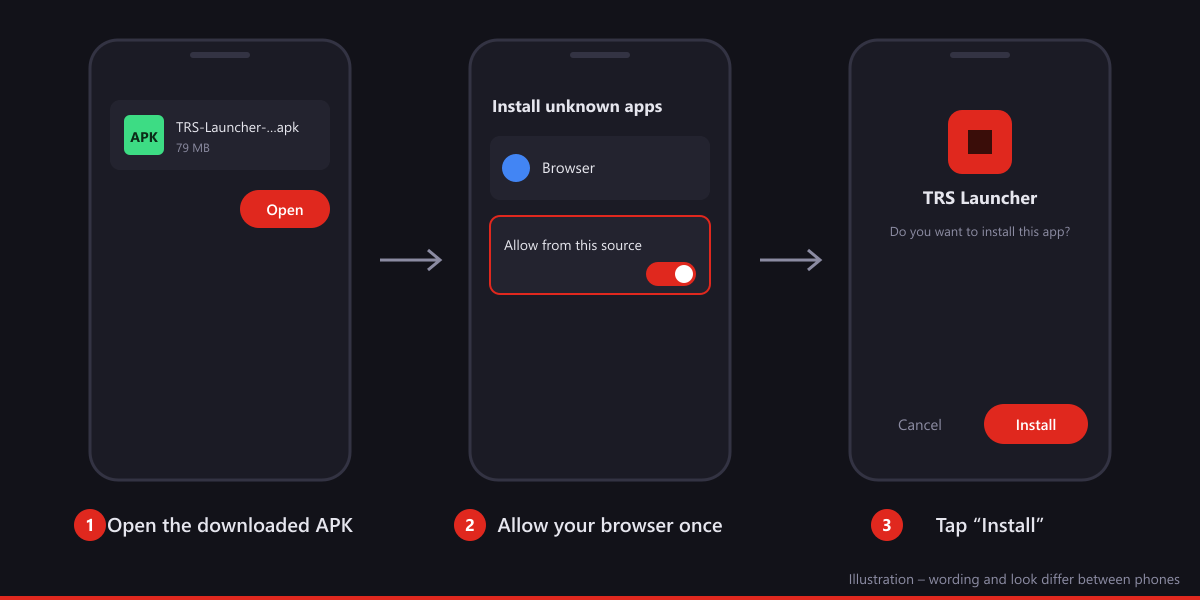
Open the download page on your phone and tap Download APK. The file is called TRS-Launcher-<version>.apk. Only download it from our website or from the GitHub releases.
Open the file
When the download is done, tap the notification or open the file in your browser's downloads.
Allow "Install unknown apps" once
Android asks whether your browser may install apps. Tap Settings, switch on Allow from this source and go back. You only need to do this once per app you install from (for example Chrome or your file manager). The exact words differ a little between phone makers.
Install
Tap Install. Google Play Protect may ask to scan the app because it doesn't come from the Play Store – tap Scan app or Install anyway.
Open TRS Launcher
You find the app with the red redstone icon in your app drawer.
apksigner verify --print-certs TRS-Launcher-<version>.apk. The certificate SHA-256 digest must be exactly:8a:aa:a3:d9:8b:06:a7:24:d1:c7:ee:d0:d0:de:f4:3a:27:75:de:f5:58:a4:51:2e:07:e7:81:61:63:1f:91:aa(apksigner prints it without colons: 8aaaa3d98b06a724d1c7eed0d0def43a2775def558a4512e07e78161631f91aa). The download page also shows the SHA-256 of the current APK file.First start and sign-in
Language and welcome
Pick your language. The short setup works like on the PC.
Sign in with Microsoft
Tap Sign in. The app shows a short code and opens Microsoft's page in your browser. Enter the code there and sign in with the account you bought Minecraft: Java Edition with. Your password only goes to Microsoft – the app never sees it. Back in the app you're signed in automatically.
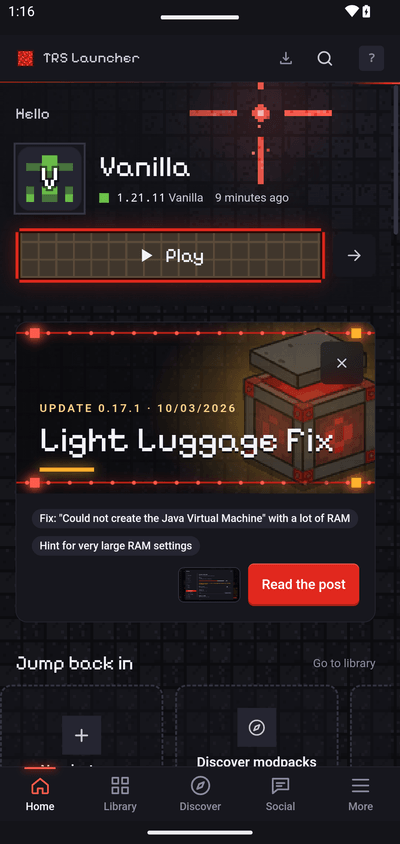
Create an instance and play
Create an instance – Vanilla or with mods, just like on the PC (Your first instance) – and tap Play. The first start downloads the game files from Mojang and a Java runtime for your phone once, so use Wi-Fi. The TRS Client is loaded by itself.
Touch controls
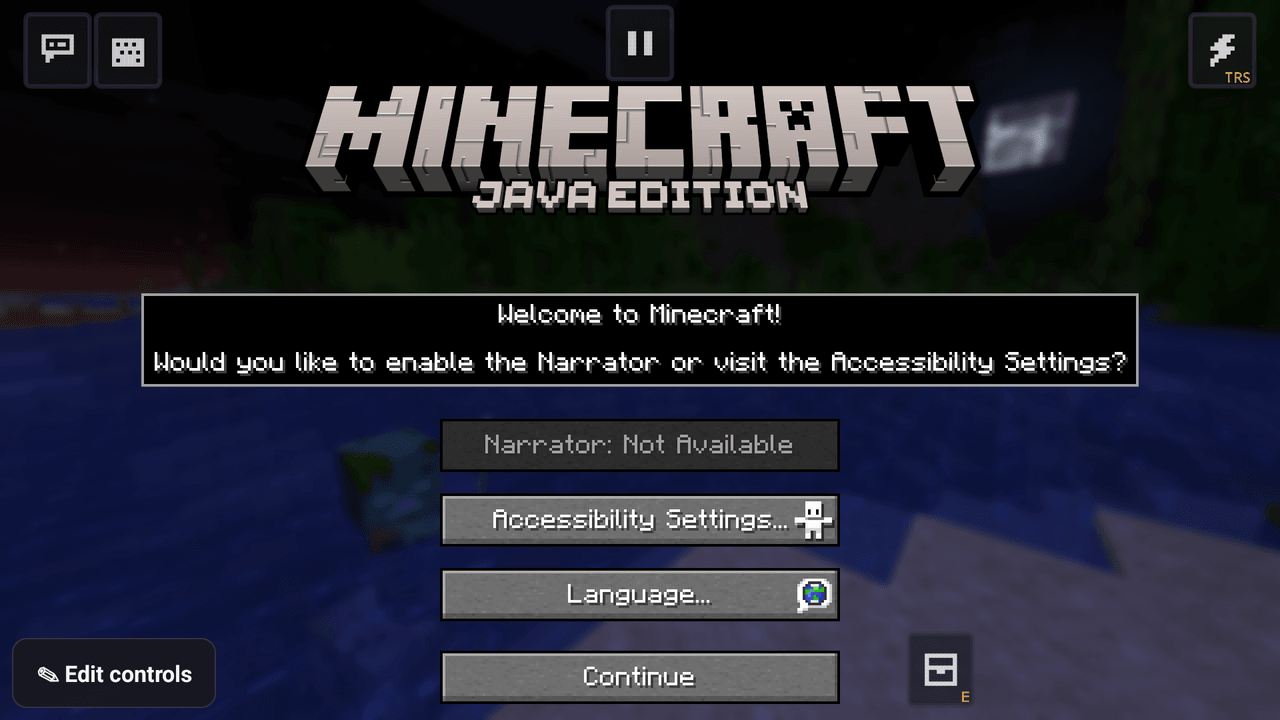
In the game a touch overlay sits on top of Minecraft: a stick for walking, buttons for jumping, sneaking, attacking and using, the hotbar, chat, keyboard and the TRS button for the TRS menu. The keyboard opens by itself when you tap a text field.
- Layouts: there are ready-made layouts for PvP, Build and Redstone. In the app under More → Controls you choose which layout each instance starts with.
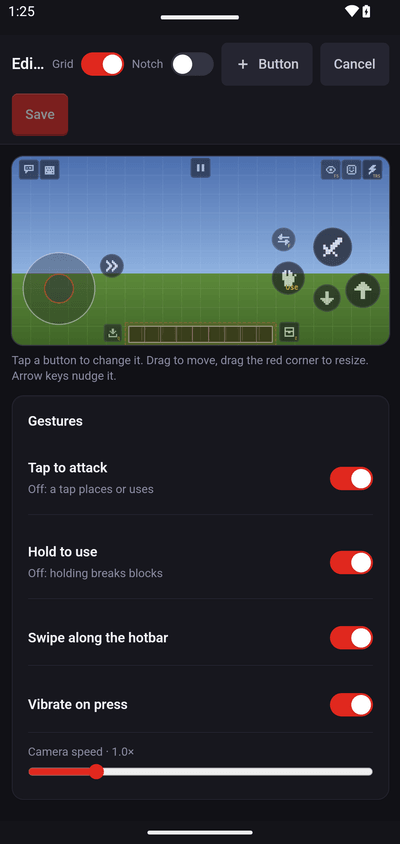
- Edit: tap Edit controls in any game menu (or Edit on the Controls page). Drag buttons to move them, drag the red corner to resize, tap a button to change what it does. + Button adds one, Save keeps your layout.
- Gestures: tap to attack or place, hold to use or break, swipe along the hotbar, vibration and camera speed – all switchable in the editor.
- Share: a layout can be shared as a code or a file and imported on another phone.
Notifications (ntfy)
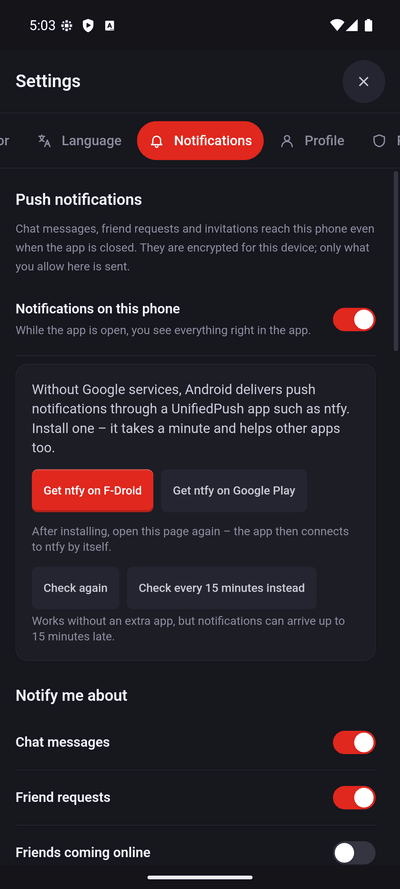
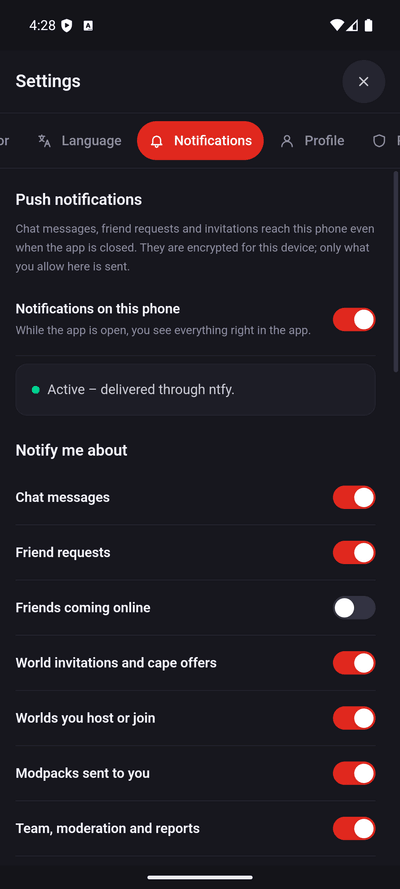
Chat messages, friend requests and invitations can reach your phone even when the app is closed. They need the TRS online features – if Social says "TRS services are turned off", tap Learn more & turn on first. Then open More → Settings → Notifications and switch on Notifications on this phone; Android asks whether the app may show notifications – allow it.
Android delivers these push messages through a UnifiedPush app. We recommend ntfy:
Install ntfy
If the settings say you need a UnifiedPush app, tap Get ntfy on F-Droid or Get ntfy on Google Play and install it.
Open ntfy once
Start ntfy one time so it can connect, then come back to Settings → Notifications. The app connects to ntfy by itself.
Done
The status shows Active – delivered through ntfy. Below it you choose what you want to be notified about: chat messages, friend requests, friends coming online, invitations and more.
Updates
The app checks for new versions by itself. When one is out, it downloads the new APK in the app, checks its signature and hands it to Android – you confirm with Install (or Update). The first time, Android asks you to allow Install unknown apps for TRS Launcher itself; switch it on, go back and start the update again. Your instances, worlds and sign-in stay.
Problems
"App not installed" or "conflicts with an existing package"
An older test or debug build of TRS Launcher is installed that was signed with a different key. Android only updates an app with the same signature. Uninstall the old app first, then install the new APK. Uninstalling removes the instances stored in the app, so back up worlds you want to keep.
"There was a problem parsing the package"
- Your phone has a 32-bit processor or runs Android older than 8.0 – the app needs 64-bit (arm64) and Android 8.0+. You can check the processor with an app such as "CPU-Z" (look for
arm64-v8a). - Or the download broke off – delete the file and download it again.
Play Protect blocks the install
Tap More details → Install anyway. Play Protect warns about every app that doesn't come from the Play Store.
The game closes right after starting – without a log
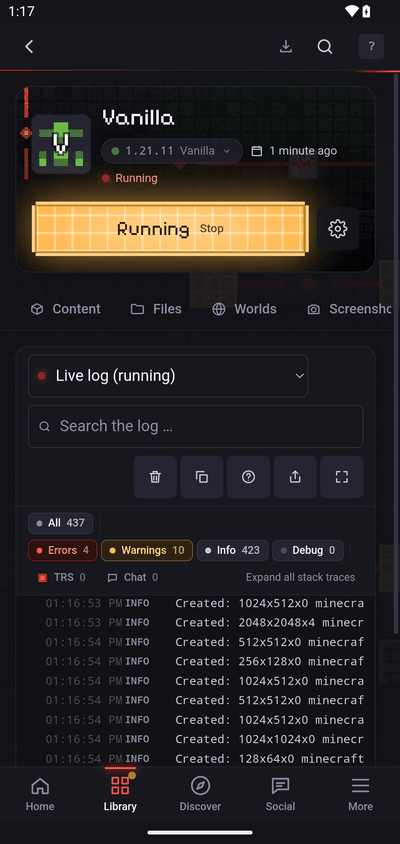
Open the instance, go to the log and tap Share log: it uploads the log to mclo.gs with your username and secrets removed, and gives you a link. If the game process died without writing a log, the app adds Android's reason for ending it (for example "out of memory"). The crash helper explains many crashes in plain words.
Common causes: too little free memory (close other apps, use a smaller modpack, lower the render distance) or a mod that doesn't work on phones. Then report a bug and include the log link.
No notifications
Check that notifications for TRS Launcher are allowed in Android's settings, that ntfy is installed and was opened once, and that battery saving doesn't stop ntfy. Check again on the notifications page tests the connection.
Next steps
Your first instance
Create your first Minecraft instance in TRS Launcher – pick a version and mod loader, press Play and watch the launcher set up everything.
iPhone/iPad: install with AltStore/SideStore
Install TRS Launcher on iPhone and iPad with AltStore or SideStore, enable JIT to play Minecraft Java and refresh the app every 7 days.