
Import from other launchers
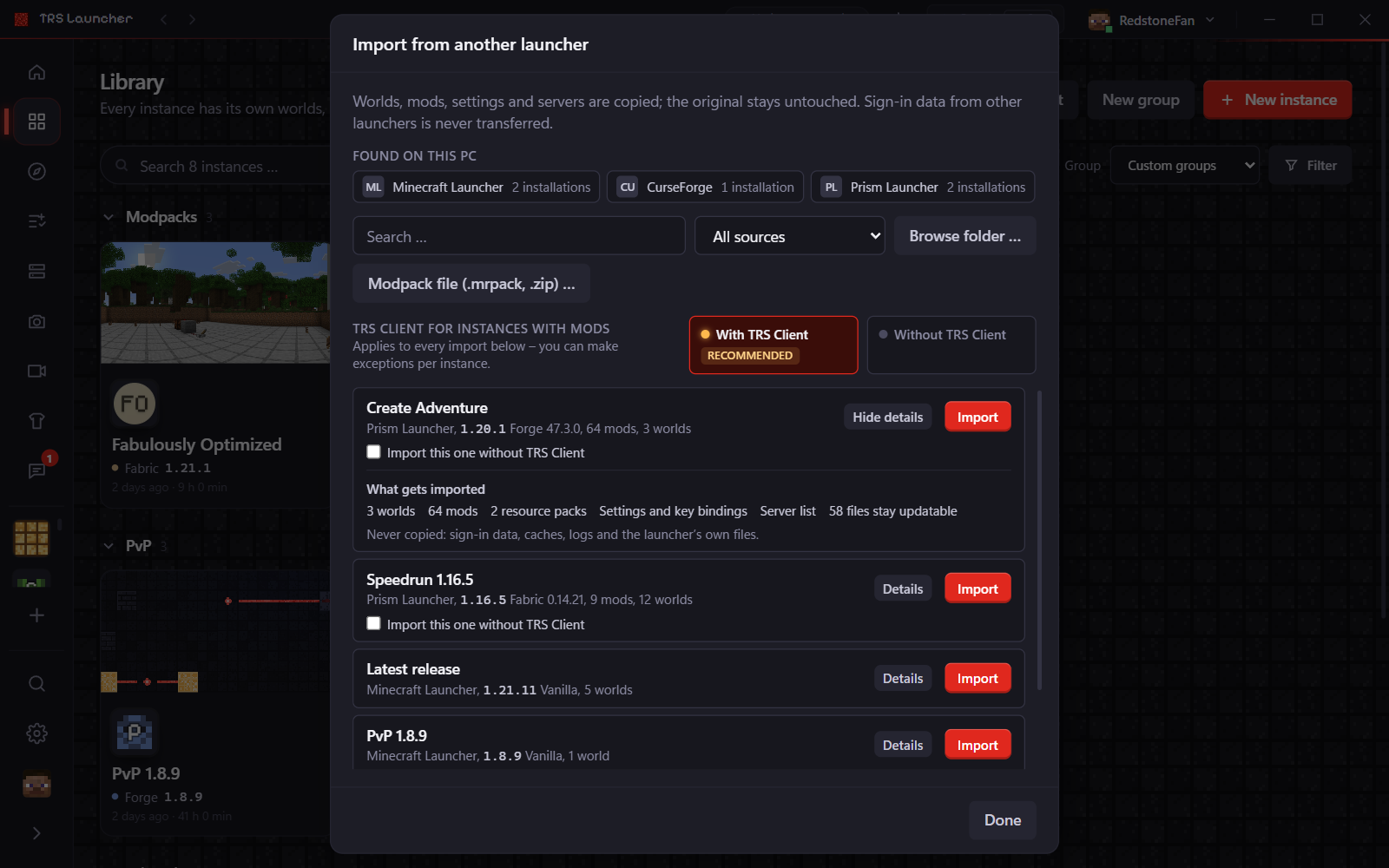
Already play with another launcher? TRS Launcher finds it and copies your instances over: worlds, mods, resource and shader packs, settings and key bindings, and your server list. The Minecraft version and mod loader are detected for you.
Supported launchers
The launcher looks for these on your PC:
- Minecraft Launcher (the official one)
- CurseForge
- Modrinth App
- Prism Launcher and MultiMC
- ATLauncher
- GDLauncher (new and legacy)
- Lunar Client and Badlion Client
- OneClient
- TLauncher
Anything else – for example another client's game folder – you can pick with Browse folder …. Feather Client is recognised but keeps no readable list of profiles, so pick its game folder by hand.
Import instances
Open the import
Library → Import, the Import tile on the home page, or Ctrl K → "Import from another launcher". The first-start setup offers the same step.
Pick what you want
Under Found on this PC you see every launcher with its installations. Filter by source or search. Details shows exactly what comes along: worlds, mods, packs, settings and the server list.
Import
Click Import next to an installation. The copy runs in the background – you can close the dialog. For a folder you picked yourself, the launcher asks you to check version and mod loader first, because it can only guess them there.
TRS Client for imported mods
When you import instances with mods, the launcher asks once whether they get the TRS Client – the same choice as for modpacks. You choose once for all and can tick exceptions per instance.
Good to know
- Mods stay updatable. Content from CurseForge, ATLauncher and GDLauncher keeps its origin, so you can update it right away. Files missing from a CurseForge instance are downloaded for you.
- Lunar Client and Badlion bring your worlds, packs, settings and your own mods. Their built-in client mods aren't free and stay behind – the TRS Client takes their place.
- Profiles that share a game folder bring everything in that folder along – the dialog tells you.
- Links that point outside the other launcher's folders are skipped.
- Never copied: sign-in data, caches, logs and the other launcher's own files.
Linux
On Linux the launcher looks in the usual Linux folders – ~/.minecraft, ~/.local/share and the Flatpak folders of the official launcher, Prism Launcher and the Modrinth App. Badlion and Feather aren't searched on Linux. Anything else you pick with Browse folder ….
Share modpacks
Share your Minecraft modpack with a code, a link or straight to friends in TRS Launcher – and push updates while everyone keeps their own changes.
Clips & screenshots
Record Minecraft clips with F9 and F10 in TRS Launcher, trim and share them, and browse all your screenshots in one gallery.