
Servers
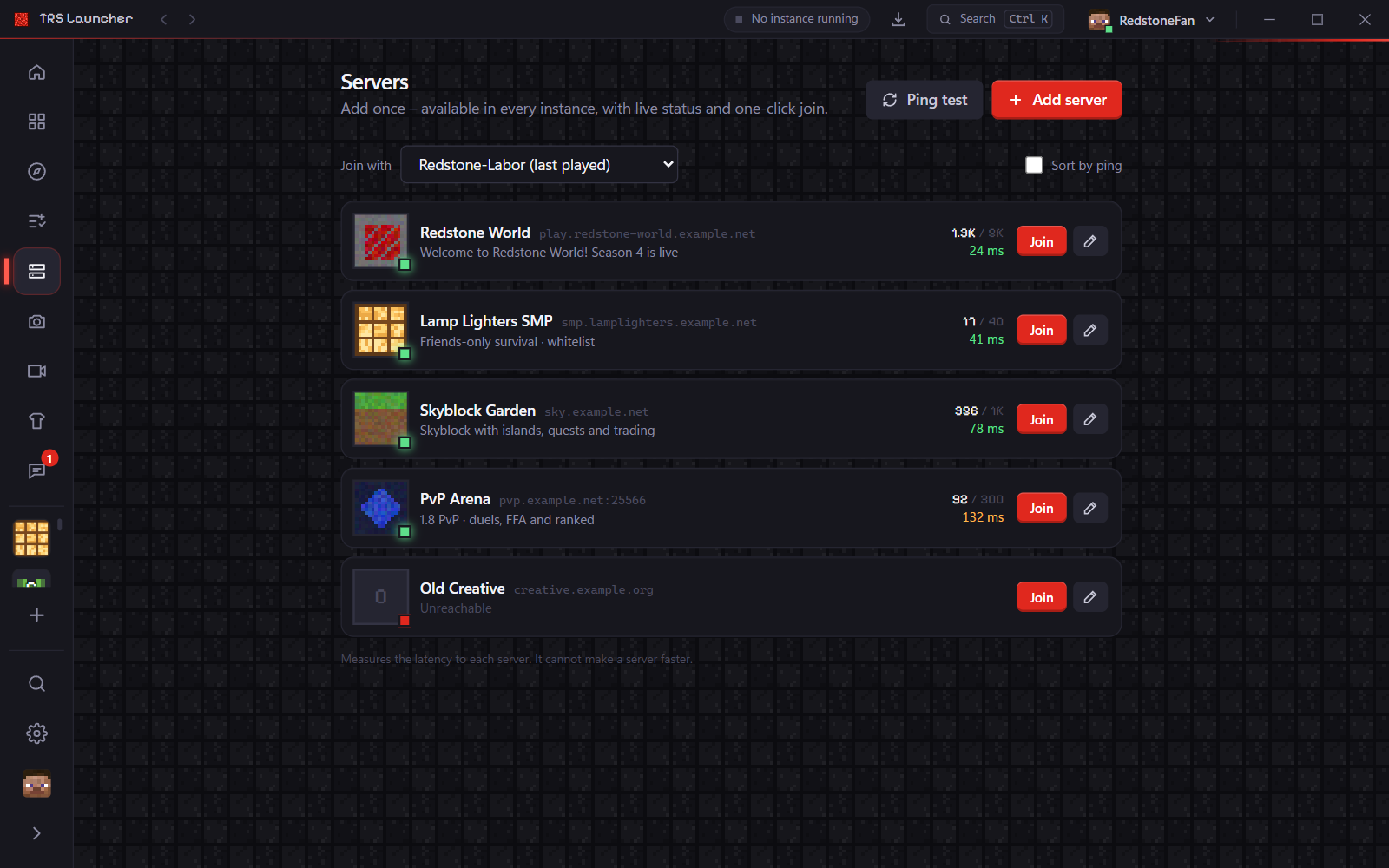
Servers in the sidebar is your server list for all instances: add a server once, see its player count and ping live and join with one click.
Add a server
Click "Add server"
Enter the Address and a name.
Resource pack
Accept the server resource pack automatically is ticked by default, so the server's ranks, icons and sounds load without asking. Untick it if you'd rather decide in the game.
Save
The server appears as a card with its icon, player count and ping – and it's added to the multiplayer list of every instance at its next start.
Join
Pick the instance under Join with and click Join on a server card. The launcher starts the instance and connects directly. Very old Minecraft versions only open the main menu – then join from the server list in the game.
Ping test
Ping test measures the latency to all your servers (at most four at a time) and Sort by ping puts the fastest reachable servers first. It only changes the display order – and it can't make a server faster.
Servers of one instance
The Worlds tab of an instance lists the servers of that instance's multiplayer list. Add, edit and remove them there, run a Ping test and Join with one click. Add to all instances saves a server in the launcher's server list instead; those servers are marked All instances.